Affiliate links on Android Authority may earn us a commission. Learn more.
Dolphin Emulator on Android finally lets you drag your friends into online Gamecube and Wii games
Sep 24, 2026 — 8:40 AM ET



- Dolphin Emulator finally supports NetPlay on Android.
- The update lets users play online multiplayer with GameCube and Wii titles.
- Dolphin’s latest update also extends NetPlay to cross-platform instances.
Dolphin Emulator is unquestionably one of the most popular retro game emulators for Android, Windows, Mac, and even a Steam Deck. It’s the first option enthusiasts turn to for Nintendo Wii and GameCube because of its upscaling, custom graphics mods, and easy Bluetooth and USB controller support, among other features. Another advantage of Dolphin is that it lets you play games originally designed for local multiplayer online, enabled by a feature called NetPlay. Traditionally, this feature required a specific mechanism to sync gameplay across multiple devices and was therefore limited to scenarios where all players are on the same operating system—and to desktop environments. That changes now with Dolphin announcing NetPlay support for Android and opening it up for cross-platform gameplay.
In its latest progress report, published earlier today, Dolphin explained the steps taken to enable NetPlay on Android and open it to cross-platform play. The blog notes that NetPlay still relies on a method called lockstep, where emulators on different devices run in parallel, so they only have to record user input rather than account for all scene-related updates. Because this requires games for all players to run at nearly the same pace (and falls back on intentionally delaying frames to stay in sync), Dolphin’s solution was to run the application on a single CPU core—i.e., intentionally limiting its power.
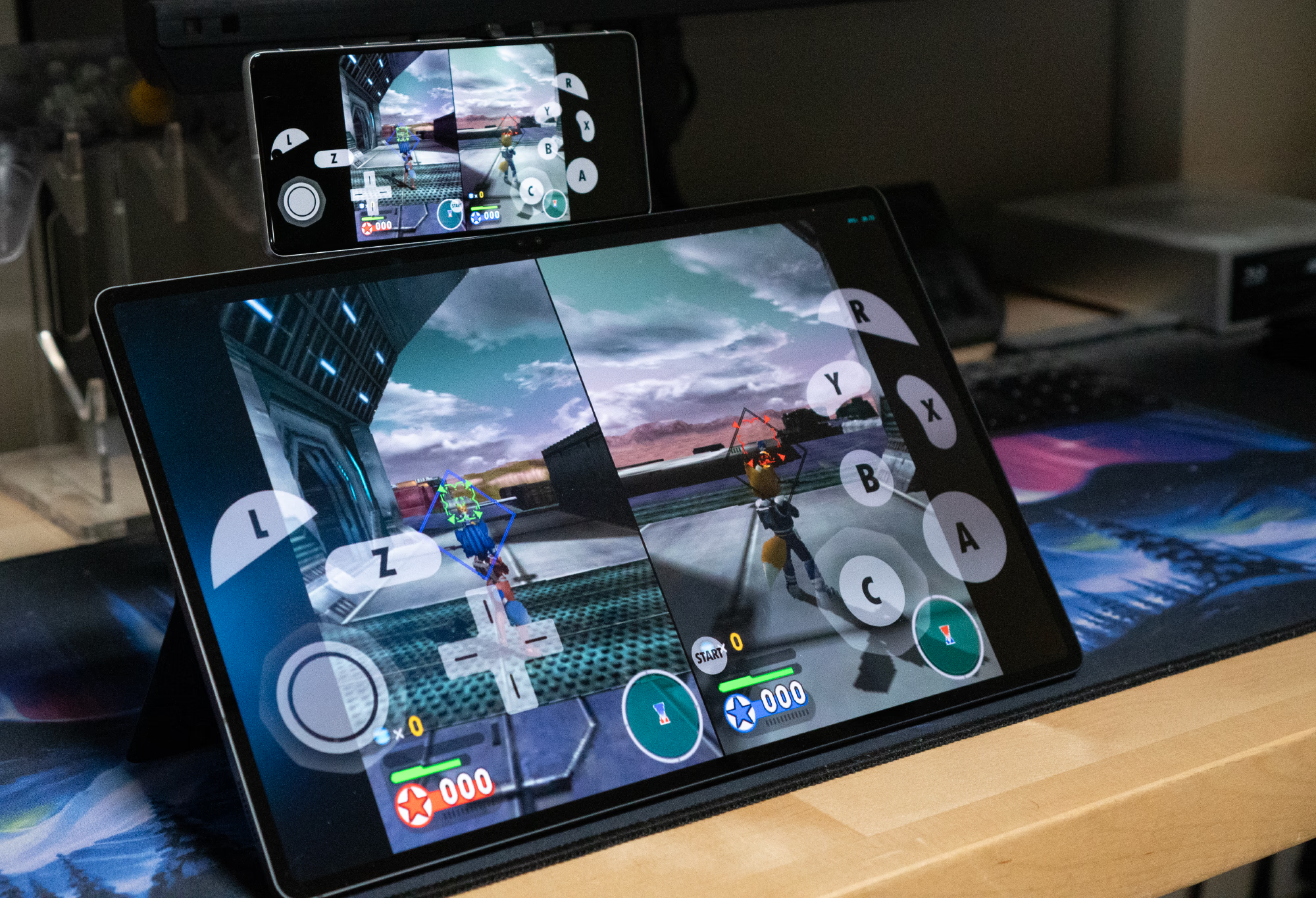
This was a challenge on Android previously, but recent Android flagships are powerful enough to run PC games effortlessly, so conditions now favor a similar implementation on Android. On top of that, Google’s Jetpack Compose now simplifies building Android UIs, which allowed developer and Dolphin contributor tom-pratt to build an MVP, followed by support for additional features such as controller port configuration, bringing it to parity with desktop versions. And it’s finally coming to Android with build 2609
There are still certain limitations, such that users need to be on a stable network, such as Ethernet or Wi-Fi. Meanwhile, the team has already started working on collaborative play through Wi-Fi Direct, emulating the Nintendo DS’s local Wi-Fi gameplay.
The team acknowledges that adding cross-platform play increases the chances of desync because of different processor architectures. It further cautions that, despite these efforts, two devices running Android can also desync because of different graphics drivers. It says,
Often this won’t outright break NetPlay (at least immediately), but if the difference becomes big enough, the instances will diverge. Given how special Adreno and Mali drivers are, there may even be problems when playing between different kinds of phones in those games!
Along with this, Dolphin notes that AI-generated security vulnerability reports have overwhelmed the team and impeded development. To address that, it is moving to GitHub’s vulnerability reporting mechanism instead of the standard bug tracker. It also advises users not to open untrusted ROM files on older builds or engage in NetPlay with unknown users, as doing so increases the chances of their devices getting infected with malicious files or programs.
Thank you for being part of our community. Read our Comment Policy before posting.