Affiliate links on Android Authority may earn us a commission. Learn more.
First look: Gemini in Android Auto could get a new animation
Oct 5, 2026 — 6:30 AM ET



- Google seems to be working on a new animation for Gemini in Android Auto.
- It will use the Neural Expressive design language that we’ve seen in Gemini overlay and Circle to Search.
- Google is also continuing its work on the “Personalization” option for Gemini in Android Auto.
Google has been tweaking the Gemini animation over the last few months. We’ve already seen the company use its Neural Expressive design language in the Gemini overlay and Circle to Search. Now, it seems the company is finally working to expand that animation to Android Auto.
You’re reading an Authority Insights story. Authority Insights brings you all the latest exclusive reports, app teardowns, leaks, and in-depth tech coverage from the Android Authority team that you won’t find anywhere else.
Right now, if you use Gemini in Android Auto, it displays a subtle glow at the bottom (or side, depending on your taskbar location) of your car’s infotainment screen to indicate that Gemini is listening. Once you start speaking, it removes the Gemini Live button and the close button. However, while digging through the latest version of the Android Auto app (v17.9.664004), we spotted the company working on a new Gemini animation.
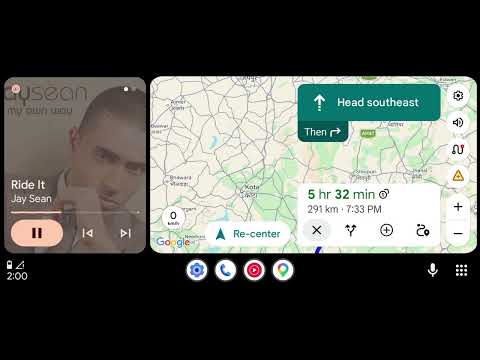
This new animation is currently a work in progress, but we managed to enable it on our device to give you a first look at what Google is cooking. The upcoming animation uses Google’s Neural Expressive design language, featuring dots around the Gemini interface. It will also span the entire width of the screen, with the close button and Gemini Live button on either side.
Take a look at the video to see the upcoming animation in action:
Last month, we also dug up evidence that Google was working on a new “Personalization” option for Gemini in Android Auto. While we didn’t know exactly how the feature would function in a vehicle, we’ve now spotted several new strings that provide a clearer picture.
According to the strings, “Personalization” in Android Auto will work just as it does on a smartphone. Gemini in the car will be able to respond with information from past chats and connected apps, and display personal results on the screen if Personalization is enabled.
Here are the strings related to the upcoming “Personalization” feature:
<string name="settings_gemini_personalization_summary">Allow Gemini to respond with info from past chats and Connected Apps like Gmail and Google Calendar</string>
<string name="settings_gemini_personalization_title">Personal results in this car</string>
Google is clearly trying to upgrade the Gemini experience in Android Auto by introducing a fresh animation and making the assistant more personalized while you drive.
These features aren’t yet available to users, and there’s no telling when (or if) Google will roll them out. Hopefully, the company finishes development and releases them sooner rather than later.
Thank you for being part of our community. Read our Comment Policy before posting.