Affiliate links on Android Authority may earn us a commission. Learn more.
Google is finally fixing one of Calendar's most annoying meeting features
Aug 28, 2026 — 4:42 PM ET



- Google Calendar is getting an update that allows meeting organizers or their delegates to choose whether or not to receive RSVP emails and automatic responses.
- The new setting is beneficial for organizers who don’t need to be informed about every individual attendee’s response.
- The gradual rollout starts today for all Google Workspace customers, Workspace Individual subscribers, and users with personal Google accounts.
Have you ever set up a meeting in Google Calendar and gotten overwhelmed by all the RSVP emails and automatic responses? While it can be useful to know who is and isn’t attending your event, having your inbox get flooded by these messages is far from ideal. It’s just one of the app’s annoying quirks. But Google is finally solving this problem in Calendar’s latest update.
In a blog post, the tech giant announced it is rolling out a new Calendar setting. The new setting will allow meeting organizers or their delegates to choose whether or not to receive RSVP emails and automatic responses (like out-of-office emails). This option is called “Get an email when guests respond,” and it will appear just above the option to write a description.
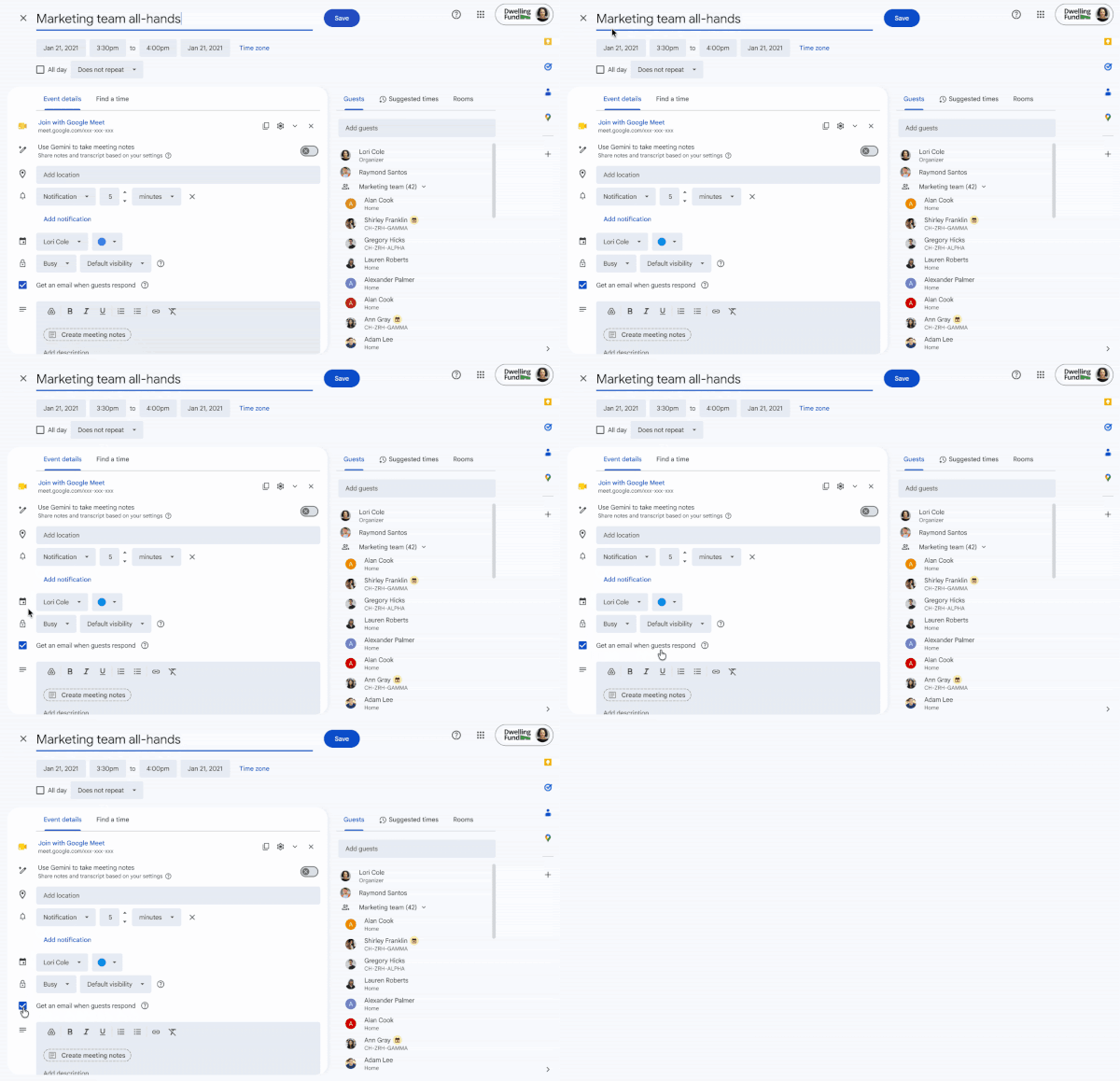
According to Google, the setting will be on by default. You’ll have to click on the box to uncheck it if you want to avoid getting responses. When the box is unchecked, it means the following:
- Organizers will not receive RSVP emails from attendees using Google Calendar, but their RSVP status will still show up on the Calendar event.
- Organizers will not receive RSVP emails from attendees using third-party calendar tools (e.g. Outlook), and their RSVP status will not show up on the Calendar event.
- Organizers will not receive any email auto-replies.
This feature could be especially helpful for particularly large meetings. Google notes that if you’re setting up a recurring event, this setting can only be applied to the full series.
The gradual rollout is starting today for rapid release, which could take up to 15 days for visibility. Meanwhile, the rollout will start on September 10 for the scheduled release, with visibility taking 1-3 days. The setting will be available to all Google Workspace customers, Workspace Individual subscribers, and users with personal Google accounts.
Thank you for being part of our community. Read our Comment Policy before posting.