Affiliate links on Android Authority may earn us a commission. Learn more.

The Pixel 11 Pro should be a disappointment, but after 3 weeks with the phone I can't put it down
Sep 5, 2026 — 6:45 AM ET
Google Pixel 11 Pro
MSRP: $1,099.00
What we like
What we don't like
Google Pixel 11 Pro


A lot has been said about the Pixel 11 Pro and 11 Pro XL since their unveiling on August 12 — much of it not very good. Pixel phones always come with an extra heaping of criticism, warranted or not, but there are real concerns about this year’s Pro phones. They have less RAM than last year’s models, HiLight has already proven disappointing, the Tensor G6 chip isn’t a particularly big performance upgrade, and the phones are more expensive than ever before.
Considering all that, it would be safe to assume the Pixel 11 Pro ($1099 at Amazon) and Pixel 11 Pro XL ($1299 at Amazon) aren’t good phones. However, after spending about three weeks with both of them, I don’t think that could be further from the truth.
In typical Google fashion, the Pixel 11 Pro and its XL sibling aren’t chasing the biggest specs, and some of the hallmark new features aren’t as amazing as Google wants you to think. But the day-to-day experience of using the phones still ignites that unmistakable Pixel magic, and imperfections aside, I plan to keep using the Pixel 11 Pro long after this review is finished.
The 3 biggest disappointments — HiLight, Proactive Assistance, and charging

There are some genuine complaints I have with the Pixel 11 Pro, despite how much I like it, so let’s get those out of the way first. There are three main things to talk about: HiLight, Proactive Assistance, and charging.
HiLight is the glowing light on the back of the 11 Pro and 11 Pro XL, and as you’ve probably heard by now, it barely does anything. You can assign colors to specific favorite contacts, and when you do, HiLight will light up when they call you. Additionally, if your Pixel is face down, HiLight pulses and swirls when you interact with Gemini. Neat!
These are both fine features, but the problem is that they’re quite literally all HiLight does right now. Third-party apps have already unlocked more functionality, letting you use HiLight as a proper notification light for text messages and other apps, but the fact that this isn’t available out of the box is truly embarrassing. HiLight could be a great feature after ample updates, but right now, it’s not worth buying the Pixel 11 Pro for.

Proactive Assistance is equally disappointing. The pitch here is that your phone can proactively surface relevant info and actions based on what you’re doing. For example, if a friend texts you asking about an upcoming flight, Proactive Assistance can find your flight info and offer a shortcut to share it with them. Or, if you get a text asking if you’ve made a reservation at a restaurant for a certain time, you’ll get a shortcut in Google Messages to do it right there.
That sounds cool on paper, but after almost a month with the Pixel 11 Pro, Proactive Assistance has proven genuinely useful not once.
There are a couple of reasons for this. First, you have to be very specific about how you use your phone to prompt Proactive Assistance. Many of its actions only work in Google Messages or the Phone app, and if your text threads don’t contain very specific dates and times, you’ll never see these pop-ups. Secondly, the handful of times Proactive Assistance has appeared on my Pixel 11 Pro, the suggestions haven’t been helpful. I know what restaurant my partner and I are going to — I don’t need or want a Gemini summary of it.
Proactive Assistance has proven genuinely useful a grand total of zero times.
The good news is that Proactive Assistance is easy enough to ignore if you don’t care about it, and like HiLight, it should get better over time. But three weeks in, it’s a dud.
What won’t get better over time is the charging performance of the Pixel 11 Pro and 11 Pro XL. Both phones are rated for the same maximum wired charging speeds as their predecessors, at 30W and 45W, respectively. The big thing this year is a new “Extreme Charging Mode” that reduces background tasks to deliver faster charging when your phone is below 50%.

In reality, this doesn’t seem to make much of a difference at all. The Pixel 11 Pro matches the Pixel 10 Pro almost exactly in our charging tests, with the 11 Pro taking 86 minutes to charge from 0-100% compared to 87 minutes for the 10 Pro. The Pixel 11 Pro XL’s faster 45W is a real benefit, taking just 64 minutes for a full charge, and topping up slightly faster than the 10 Pro XL. However, it’s still significantly slower than the Galaxy S26 Ultra’s 60W charging, which goes from dead to full in only 42 minutes.

Not only are these relatively slow charge rates, but Google’s charging standards remain as confusing as ever. You still need a very specific 21V PPS charger to achieve full charging throughput. I initially tried charging the 11 Pro XL with a 67W Anker charger, but since it doesn’t have 21V PPS, it topped out at 25W. Even more concerning is the amount of heat the Pixel 11 Pro XL produces during Extreme Charging.
These charge speeds are serviceable, and for overnight charging, you won’t have any issues. But in a world where even Samsung is finally getting on the fast-charging bandwagon, Google’s unwillingness to make any meaningful progress here is more grating than ever. Especially since the Pixel 11 Pro now starts at $1,099 and the 11 Pro XL will set you back at least $1,299, Google really should have done better.
Tensor G6 isn’t a miracle chip, but it’s still very good

With that out of the way, there is one more thing we should talk about before I really start gushing about the Pixel 11 Pro: the Tensor G6 chip.
Right off the bat, I’ll say this. Day-to-day performance from the G6 on the Pixel 11 Pro is outstanding. The phone is extremely snappy, animations are as fluid as you could ask for, and my go-to mobile game (Call of Duty: Mobile) runs really well at High graphics and Max frame rate. For the way I use my phone, the Tensor G6 hasn’t given me any issues — and I’ve not noticed the Pixel 11 Pro heating up either. It’s been a really good experience.
That said, it has to be mentioned that the Tensor G6 still lacks significant raw horsepower versus the competition. Compared to the Snapdragon 8 Elite Gen 5 powering the Galaxy S26 and S26 Ultra, the Tensor G6 is worse in nearly every metric — delivering lower single-core and multi-core CPU speeds and significantly worse GPU performance (up to 58% slower in Wild Life Extreme 3DMark stress tests). The Tensor G6 delivers improved CPU performance compared to the Tensor G5 in the Pixel 10 Pro models, but I haven’t noticed any meaningful year-over-year difference.

Benchmarks certainly aren’t everything, and as I said above, I’ve not had any real-world performance complaints with the Pixel 11 Pro after three weeks of regular use. I imagine most people who buy the 11 Pro or 11 Pro XL will find themselves in a similar boat. But if you want the absolute most performance from your next Android phone, you won’t find that here. That’s never been the point of Pixels, and I think that’s OK, but it’s still worth noting.
One aspect of the Tensor G6 that’s unquestionably better is efficiency. The 4,850mAh battery in the Pixel 11 Pro and the 5,115mAh battery in Pixel 11 Pro XL are actually smaller than batteries in the Pixel 10 Pro and Pixel 10 Pro XL (4,870mAh and 5,200mAh, respectively), but this year’s phones still manage to last longer — and that’s all thanks to a more efficient chipset.

I’ve primarily been using the small Pixel 11 Pro, and depending on what apps I’m using and how much of my time is spent on 5G, I’m seeing anywhere from four and a half to well over six hours of screen-on time, usually with around 20% battery still left in the tank. On the Pixel 10 Pro last year, I was topping out around five hours and hitting some days with just three hours of screen time. Beyond my real-world experience, the Pixel 11 Pro XL beats the Pixel 10 Pro XL in all but one of our five battery benchmarks.
One aspect of the Tensor G6 that's unquestionably better is efficiency.
To be clear, the Pixel 11 Pro and Pixel 11 Pro XL are still very much one-day smartphones, but I’m getting through a full day more comfortably than last year. It makes you wonder what Google could have achieved with this level of efficiency and a much denser silicon-carbon battery, but hopefully we’ll find that out with the Pixel 12 Pro.
The final thing worth mentioning about the Tensor G6 is its new modem. The G6 is the first Tensor chipset to not use Exynos modem technology, instead opting for a MediaTek M90 modem. And after years of Pixel connectivity complaints, it seems to have done the trick. In our testing compared to the Pixel 10 Pro, the Pixel 11 Pro holds onto 5G connections longer, delivers faster download speeds, and uses slightly less battery when on 5G, too. Anecdotally, I’ve not noticed any connection issues, and my colleague Zac has been very pleased with the new modem, too.
Why I still love the Pixel 11 Pro

We’re about 1,500 words into this review, and I’ve only talked about three fairly large letdowns for the Pixel 11 Pro series, plus some good (but not groundbreaking) chipset improvements. If that’s all true, why do I like the Pixel 11 Pro so much? For everything else I’m about to talk about.
We might be on the third generation of this design, but I’m such a big fan of how the Pixel 11 Pro looks and feels — and a lot of that has to do with a lot of excellent refinements Google made this year.
I'm such a big fan of how the Pixel 11 Pro looks and feels.
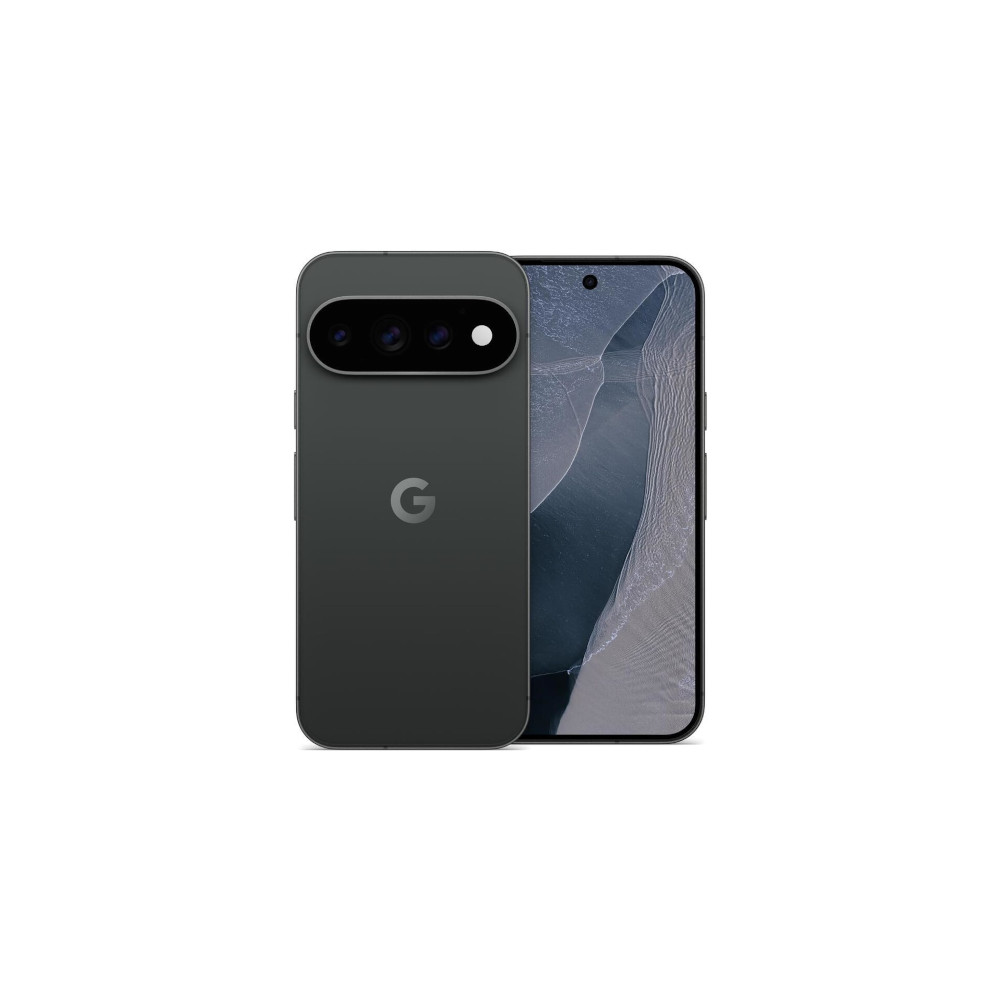
First, the colors. The Canyon colorway for my Pixel 11 Pro is absolutely stunning and a strong contender for one of my all-time favorite Pixel colors. It’s not quite as saturated as it looks online, but the soft pink back paired with the gold frame and the new all-black camera visor is such a striking combination. The Obsidian color of my Pixel 11 Pro XL is less visually interesting, but I love how it introduces a matte frame on a Pro model Pixel for the first time — hopefully something we’ll see more of next year.
I’m also surprised by how comfortable I’ve found the smaller Pixel 11 Pro to be. Google didn’t make nearly as drastic a weight reduction as I had hoped (the Pixel 11 Pro weighs 204 grams, down slightly from the 207-gram Pixel 10 Pro). Even so, when held side by side, the 11 Pro doesn’t feel nearly as top-heavy as the 10 Pro, which was one of my biggest complaints.

Another issue that seems to be fixed? Screen durability. My Pixel 10 Pro acquired some pretty gnarly scratches over the last year — as have most Pixels I’ve spent any prolonged time with. I was curious about Google’s claim that the Pixel 11 Pro/11 Pro XL have “more than twice” as much scratch resistance as previous models, and so far, that claim is holding true. After three weeks of using the Pixel 11 Pro as my primary smartphone without a case or screen protector, I can’t find a single blemish on its display glass. I’ll have to see if that holds true after more weeks and months of use, but this is a very good start.
Speaking of the display, it’s excellent. Colors pop without being overly saturated, the variable 1-120Hz refresh rate works flawlessly, and the higher max brightness of up to 3,600 nits is a nice-to-have. Not once have I struggled to see anything on the screen even in direct sunlight, and I appreciate how dim the screen gets, too. And, of course, having a 6.3-inch screen size on the smaller Pixel 11 Pro remains such a treat for one-handed use.

I also have to mention Pixelsnap. Like the Pixel 10 Pro phones before them, the Pixel 11 Pro lineup also features built-in magnets on the back — making Google still the only major Android brand to integrate magnets into its phones. And just like on the Pixel 10 Pro, having built-in magnets on the Pixel 11 Pro is phenomenal.
Having built-in magnets on the Pixel 11 Pro is phenomenal.
I know, I know — you can put a magnetic case on any smartphone and use MagSafe/Pixelsnap accessories that way. But having that functionality built directly into the phone is so much better, especially for someone like me who rarely uses a case. It might sound silly, but Pixelsnap was a big reason I used the Pixel 10 Pro for much of the past year, and it’s why the Pixel 11 Pro will keep a place in my pocket for the foreseeable future.
Another fantastic year of Pixel cameras

Those are all major factors in why the Pixel 11 Pro works for me, but even more impactful is the camera system. The setup is pretty similar to the Pixel 10 Pro, with a couple of changes.
The main camera is still 50MP with a 1/1.3″ sensor size, but it’s technically a new lens. The telephoto camera is the big upgrade this year. The resolution remains at 48MP with a 5x optical zoom range, but the new, larger sensor captures 30% more light than the Pixel 10 Pro’s telephoto camera. The 48MP ultrawide shooter on the back is unchanged, as is the 42MP selfie camera.
It should come as no surprise that the Pixel 11 Pro takes exceptional photos. Pictures are packed with detail, camera focus is extremely fast, and the improved colors we saw last year on the Pixel 10 Pro carry over to the Pixel 11 Pro. Photos still have plenty of HDR processing and stay more true-to-life than, say, a Samsung phone, but I’ve been continually impressed by just how pleasing they look right after pressing the shutter button. The days of woefully washed-out Pixel photos seem to truly be behind us, and I couldn’t be happier.
And if you aren’t thrilled with the out-of-the-box look of the Pixel 11 Pro’s camera, the good news this year is that you can finally do something about it. One of the big new camera features for the Pixel 11 Pro is Camera Looks. Similar to Photographic Styles on the iPhone, this lets you customize colors, contrast, and more before you snap a photo. And unlike a filter, these changes are applied directly to the Pixel 11 Pro’s imaging pipeline.
Camera Looks are a ton of fun. The out-of-the-box presets all have a distinct style, and the beauty is that you can fully customize each one to your exact liking. Not every Camera Look will be suitable for every type of photo, but the amount of experimentation and creativity they open up is unlike anything we’ve had on a Pixel before — and I love it.
I’ll admit that a lot of the new Camera Looks are a bit much for my liking, but I have really enjoyed using the Default Look with the Vanilla customization. Default Look is the “normal” Pixel camera style, but it now has four versions of it with varying levels of HDR post-processing. Vanilla gives photos a warm, inviting style that I find quite pleasing.
You can easily ignore Camera Looks if they don’t interest you, but I strongly recommend giving them a shot. If you’ve found Google’s Pixel camera experience has grown dry or boring in recent years, this is a big jolt of energy that makes it feel new again.
Another highlight of the Pixel 11 Pro camera is the telephoto sensor — and no, I’m not talking about the new maximum zoom range of 120x. While you can zoom all the way up there this year, the results — as expected — aren’t very good. However, everything below that is pretty damn impressive.
So much of my time with the Pixel 11 Pro has been spent snapping photos at 5x or 10x. The new telephoto sensor is so good that I almost prefer using it to the primary camera. The improved light sensitivity is really noticeable, with zoomed-in photos looking just as good indoors in minimal light as they do outdoors in ample light. The natural bokeh is fantastic, focusing is fast and accurate, and the results really do speak for themselves.
And even at 30x or 70x zoom, I’m still impressed with what I see. AI processing lends a helping hand at these further zoom ranges, but I think it’s mostly well done. Combined with the new Instant Night Sight that reduces capture time by up to 4.5x for nighttime photos, the Pixel 11 Pro may be my new favorite camera for snapping Moon photos.
There are some other new features in tow this year, though I’ve not personally found much use for them. I like the idea behind Magic Capture, and I’m sure it’ll be great for future concerts, but I don’t see it fitting into my daily life. I can also see a lot of folks loving the new Creator Suite tools, but as someone who’s never made a TikTok or Instagram Reel, it’s not for me. And if you shoot video more often than still images, a new Pro Stable Video mode offers improved, smoother movement stability in your recordings in up to 8K.
You can view full-resolution files of all the camera samples above (and more) in this Google Drive folder.
Google’s software is still Android at its best
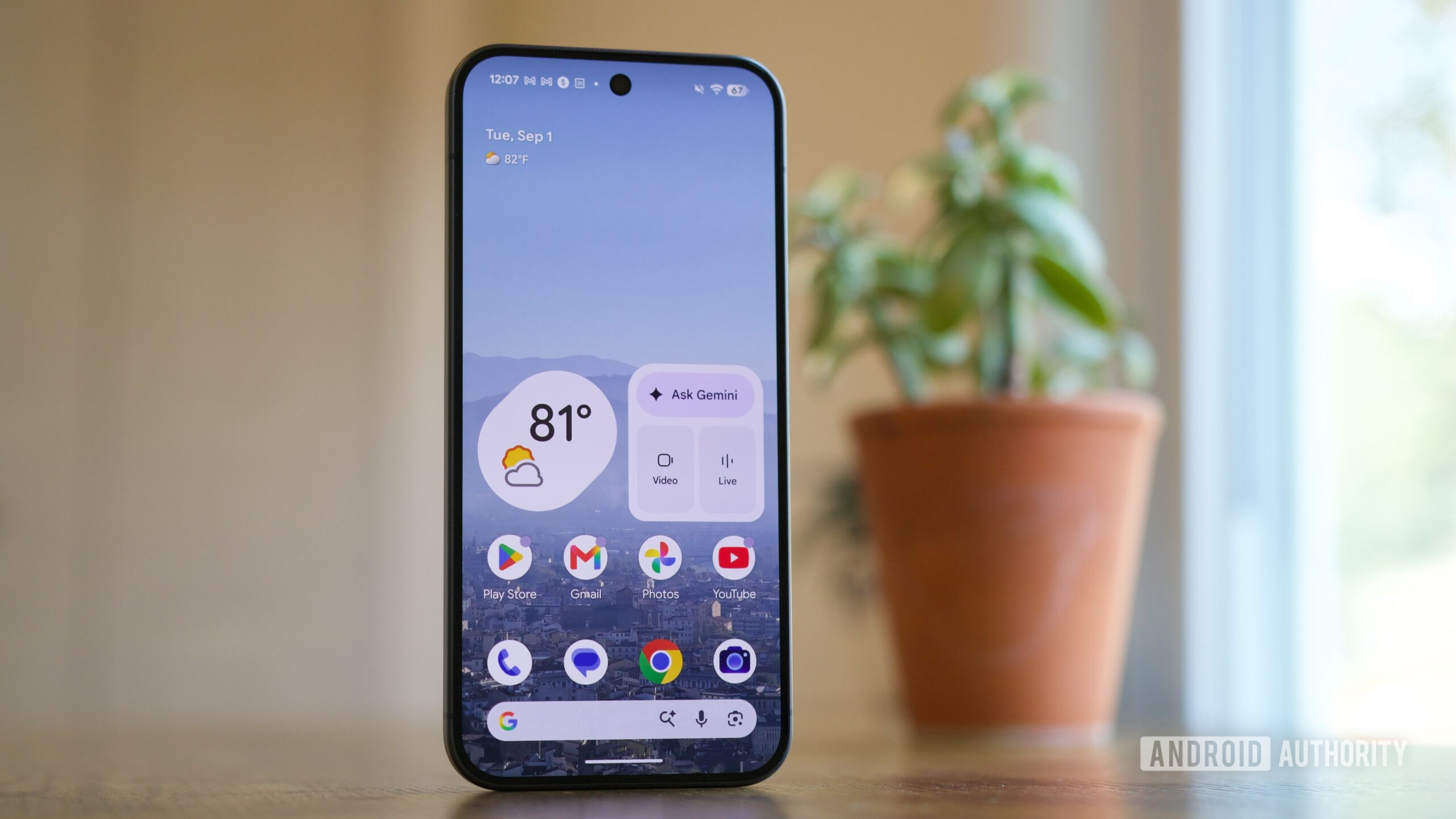
The last big point I want to touch on — and another significant reason why I love using the Pixel 11 Pro — is something that comes up in every Pixel review: the software.
Whenever talking about Pixel phones, there’s an argument that Google’s clever and hyper-polished software experience makes up for lacking GPU performance, multi-day battery life, etc. And while that argument may sound tired in 2026, using the Pixel 11 Pro proves there’s a reason why it keeps coming up.
No other Android phone blocks and filters spam calls as effectively as a Pixel. Whether it’s stopping well-known spam calls from coming through entirely, or letting me quickly screen an unknown number, Pixels remain unmatched in their quality here. If I want Now Playing to automatically and discreetly tell me what song is playing in the background, I only get that with a Pixel. Google is still the only mainstream Android brand with a proper face unlock option.
There are so many other things I could mention, too — such as the excellent Pixel Weather app with its pollen tracker, the surprisingly useful Pixel Screenshots, and more. These are all little things, and some have existed for years, but they still contribute to the Pixel 11 Pro offering the best Android smartphone experience in 2026.
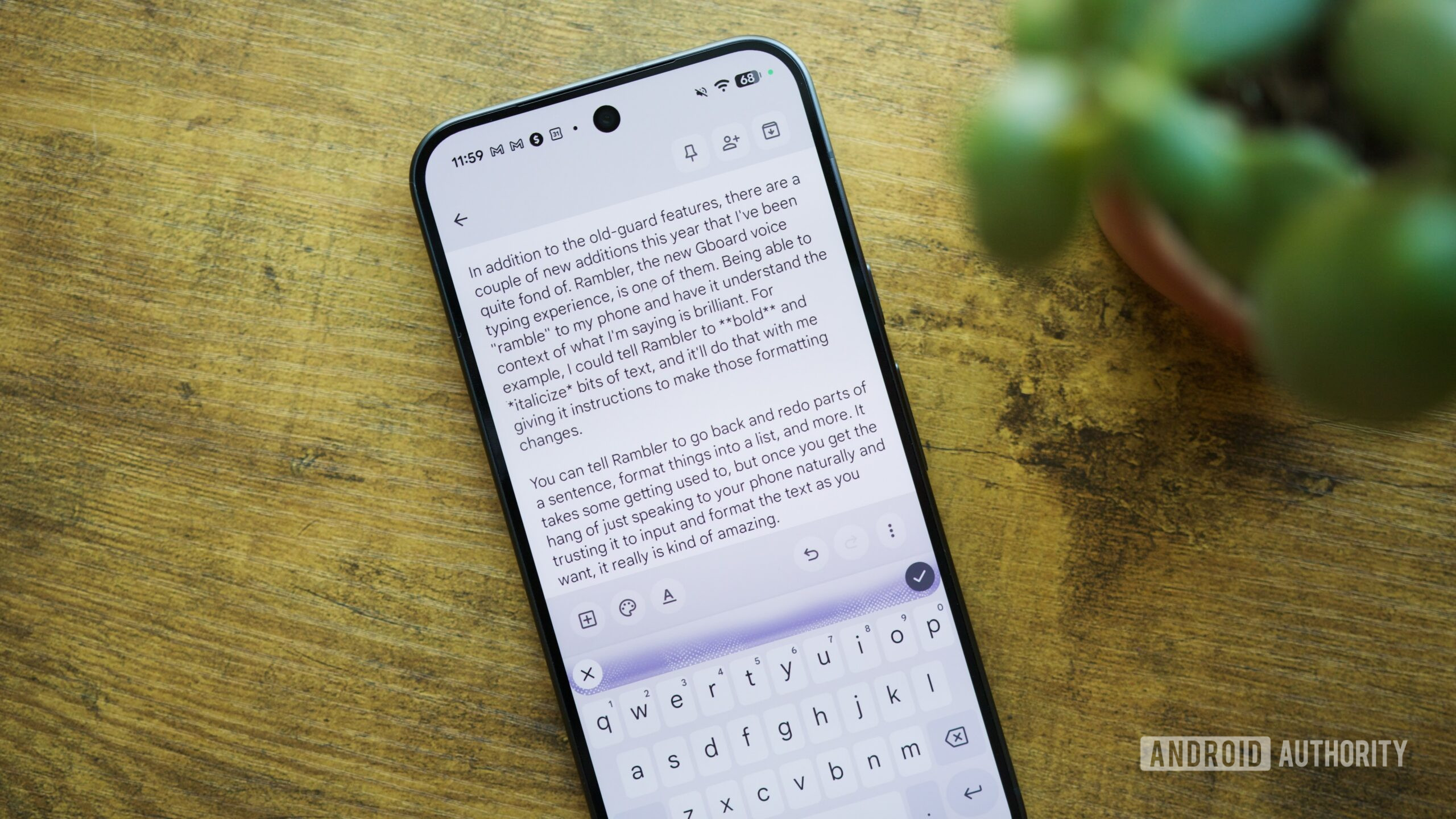
In addition to the old-guard features, there are a couple of new additions this year that I’ve been quite fond of. Rambler, the new Gboard voice typing experience, is one of them. Being able to “ramble” to my phone and have it understand the context of what I’m saying is brilliant. For example, I could tell Rambler to bold and italicize bits of text, and it’ll do that with me giving it instructions to make those formatting changes.
You can tell Rambler to go back and redo parts of a sentence, format things into a list, and more. It takes some getting used to, but once you get the hang of just speaking to your phone naturally and trusting it to input and format the text as you want, it really is kind of amazing. And, yes, these last two paragraphs were written/spoken with Rambler.

I’ve also been quite happy with Pause Point. I typically don’t use any digital wellbeing features on my phone, but Pause Point has been surprisingly effective. I’ve primarily been using it with X/Twitter so far, and it’s genuinely reduced my screen time on the app. That little bit of friction with Pause Point nudging me to do a quick breathing session, reflect on some Google Photos memories, or open another, more positive app each time I tap the X icon really has curbed my doomscrolling.
Finally, there’s the update advantage of having a Pixel phone. Pixels aren’t the only Android phones promised seven years of OS upgrades, but they do receive them the fastest. Furthermore, Pixel Drops frequently add new features more often than those of pretty much any other phone brand. And if the latest Android 17 QPR2 betas are any indication of what’s coming down the pipeline, there’s already a lot to look forward to in the not-too-distant future.
Should you buy the Pixel 11 Pro?

The Pixel 11 Pro and 11 Pro XL are not perfect Android phones. The HiLight feature is a massive letdown. Google’s bet on Proactive Assistance has yet to pay off. Charging speeds on both phones are a mess, and the Tensor G6 isn’t the generational upgrade many people were likely hoping for. Those are all real and valid criticisms against Google’s latest flagships, and they shouldn’t be glossed over.
That’s especially true given this year’s price increase. The Pixel 11 Pro and Pixel 11 Pro XL are both $100 more expensive than their predecessors, starting at $1,099 and $1,299, respectively. And this time around, the base configurations have only 12GB of RAM instead of 16GB.
Google made some clear and obvious missteps with the Pixel 11 Pro, but the rest of the experience really is so good that I can’t help but love the phones despite their shortcomings. I think that speaks volumes for how impressive the Pixel 11 Pro’s strengths are — from its top-notch hardware to its convenient magnets to the outstanding camera system and Google’s unrivaled software. Add it all together, and you end up with a smartphone package that works so well on so many levels.

But is that package so good that you should buy it? If you ask me, absolutely.
If you already have a Pixel 10 Pro, there’s no reason to upgrade this year. You’re missing out on features like Camera Looks, Rambler, and Pause Point, but those things should trickle down to the Pixel 10 Pro eventually. And even without those things, you still already have about 90% of what makes the Pixel 11 Pro so enjoyable.
The Pixel 11 Pro is a smartphone package that works so well on so many levels.
There’s also an argument to be made for Google’s more affordable Pixel. The regular Pixel 11 ($899 at Amazon) gets you almost all the same software features as the Pixel 11 Pro (minus Instant Night Sight and some video capabilities), the same Tensor G6 chip, similar battery life, magnetic charging, and a design that’s a bit lighter thanks to the much slimmer camera bar. The camera package isn’t as robust, but it’s still very good, and the lack of HiLight on the base model isn’t a serious drawback. For me, the camera upgrades on the Pro are worth it, but for more casual photographers, you’re better off saving $200 with the “normal” Pixel 11.

What about the non-Google competition? The most suitable alternative is the Samsung Galaxy S26 Ultra ($1299.99 at Amazon). It has a great camera system, a more powerful Snapdragon chipset, much faster charging, and the clever Privacy Display. It’s an excellent Android phone, but it also comes in only one size (BIG), lacks built-in magnets, and replaces the clean and smooth Pixel interface with Samsung’s heavy and — in my opinion —overbearing One UI software. Additionally, if you’re already spending well over $1,000 on your next Android phone, it’s worth considering foldable options such as the Galaxy Z Flip 8 ($1199.99 at Amazon) and the Motorola Razr Ultra (2026) ($1499.99 at Amazon).
As is always the case in the Android world, you have ample options to consider. If you value horsepower and fast charging, the S26 Ultra is the better choice. If you want something a bit flashier and more unique, jumping on the foldable train might be worth it.

But if what you want most out of your next Android phone is reliable day-to-day performance, top-tier build quality, integrated magnets, superb cameras, and all of the joys of Google’s Pixel software, the Pixel 11 Pro and 11 Pro XL — imperfect as they may be — are absolutely worth buying.
7 years of Android updates
Built-in magnets with Qi 2.2
7 years of Android updates
Built-in magnets with Qi 2.2
Thank you for being part of our community. Read our Comment Policy before posting.