Affiliate links on Android Authority may earn us a commission. Learn more.
Google TV bug is causing the UI to get a little jumpy
Oct 12, 2026 — 1:52 PM ET



- Google TV users report that the screen bounces when navigating in apps-only mode.
- The issue is affecting Google TV Streamer, the Onn 4k Pro, and Google TVs.
- Google hasn’t addressed the issue, but there are some ways to get around the problem.
Google TV’s apps-only mode is made to simplify the home screen by stripping away everything but the apps you’ve chosen for a fuss-free streaming experience. But a new UI bug that makes the entire screen jump when selecting an app is now frustrating users.
On Reddit’s Google TV sub, a user posted a video of themselves navigating through apps in apps-only mode. Each press of the button results in the screen bouncing up and down. They report that the issue is happening on the two Google TV Streamer devices that they own with software version UTTK.260317.003 and that they had been using apps-only mode for a while without issue. They also share that rebooting did not fix the problem.
Others chimed in to say that they were also experiencing the UI glitch as well. One user said that they noticed the problem on the Onn 4k Pro, Walmart’s budget answer to the Google TV Streamer. Another demonstrated the same problem with a GIF of a smart TV “based on Google TV.”
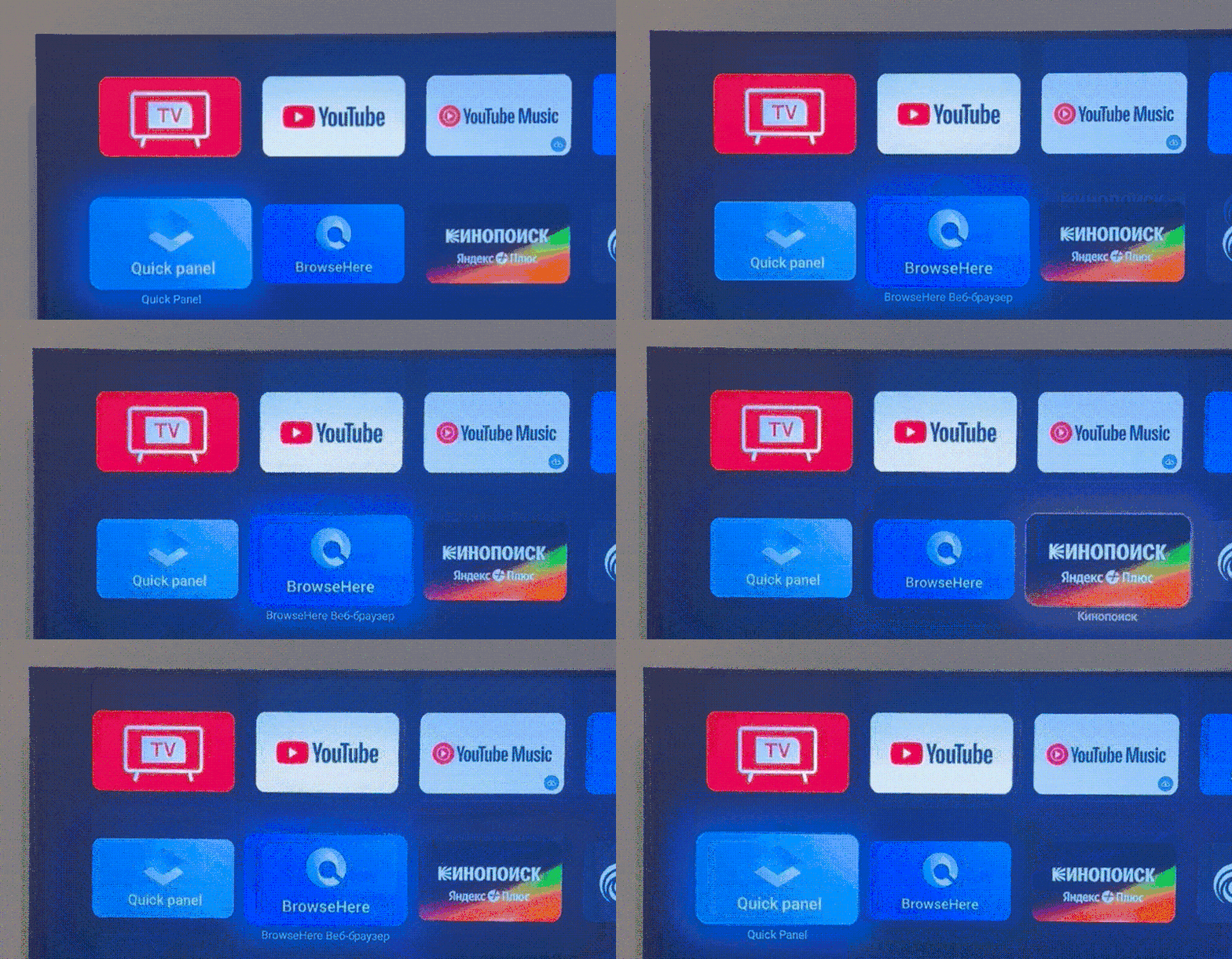
The issue was first posted over a week ago, and so far, Google has not popped up in the chat to acknowledge that it’s aware of the problem, nor provide a resolution in the form of a software update. But that doesn’t mean that all hope is lost for those who want the return of a home screen that runs smoothly.
The owner of the Onn 4k Pro says they bypassed the glitch altogether by using Projectivy Launcher. That suggestion was backed by other users who praised the ad-free launcher for its “one-click play” and “being clean.”
While the original poster said that rebooting the streaming device itself did not help, past issues with apps-only mode have been temporarily resolved by turning the feature off and then on again, as the old joke/good advice goes. So, if you’re also experiencing the issue, you may want to try that until Google comes forward with a fix. You can go to Settings > Accounts & Sign-in > Your Google account > Apps only mode to toggle it off and back on.
Android Authority has reached out to Google, and we’ll update this story with whatever we manage to learn if we ultimately hear back.
Thank you for being part of our community. Read our Comment Policy before posting.