Affiliate links on Android Authority may earn us a commission. Learn more.
YouTube is testing auto-expanding video previews on TVs

Nov 17, 2026 — 1:27 PM ET


- YouTube appears to be testing a change that automatically expands video previews into full-screen playback after roughly 40 seconds.
- We’ve confirmed the behavior on Google TV, while users on Xbox, PS5, and Fire TV Stick have reported similar experiences.
- The change isn’t widely available yet, suggesting it could be a limited test, although YouTube hasn’t officially confirmed anything.
YouTube appears to be changing how video previews work on its Google TV app, with previews now expanding into full-screen playback roughly 40 seconds in. We’ve independently observed the change on Google TV, though similar user reports on Reddit confirm that the change isn’t limited to Google’s own platform.
This appears to be a relatively new development. Although I spotted the change over the weekend, user reports on Reddit suggest the behavior has been around since early November at the very least.
To understand what’s truly new, you first need to understand how YouTube previews currently work. On platforms like Google TV, hovering over a video thumbnail on the YouTube app triggers a short preview of said video. The preview plays for roughly 30 seconds before returning to its static thumbnail state. The feature essentially gives users the option to check out a video’s intro and what it’s about without committing to it or opening it.
With the latest change, Google appears to be under the impression that if you’ve watched a preview long enough, you’re probably interested in the video and want to watch the whole thing. That’s why, for some, previews don’t return to their static thumbnail state after the initial 30 seconds. Instead, Google is giving users slightly longer 40-second previews, and if you don’t move on to a different thumbnail within that time, the preview automatically expands into full-screen playback.
Here’s what the change looks like
Skip to the 0:40 second mark if you’re only interested in checking out the transition from preview to full-screen
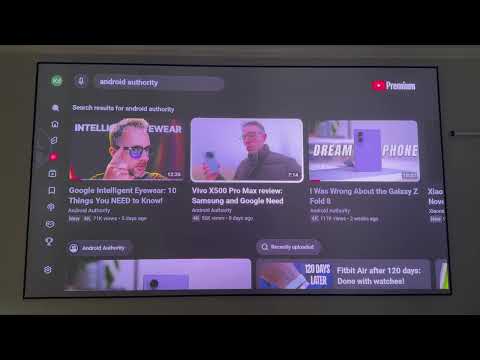
This is a double-edged feature. While the idea surely results in fewer interruptions and is more convenient for passive viewing, it could also cause accidental playbacks if you leave a thumbnail highlighted while doing something else. That could then affect your watch history and ultimately your YouTube recommendations.
As mentioned earlier, the behavior doesn’t seem limited to Google TV. Similar reports across Reddit suggest that users are seeing the change on Xbox, PS5, and Fire TV Sticks too. One user wrote:
I usually hover over a video, get a 3p second preview, then it stops. But now, if i hover over a video and watch the preview, itll just start playing the whole video and go to full screen. I dont want to turn the previews off because I like that, but I dont want it to automatically play the video after 30 seconds.
A different user also made it clear that they don’t like the change:
Same happened to me on my ps5 and i f******hate it. I liked getting previews but i don’t want it to automatically open like it is.
Note that YouTube hasn’t officially announced the new preview behavior, and others on the Android Authority team aren’t seeing it either. This suggests that the change could be a limited test. We also can’t rule out the possibility of it being an unintended bug, though considering how seamlessly previews transition into the full-screen experience, that’s likely not the case.
Are previews auto-expanding for you? Let us know in the comments below!
Conversation
Read what readers said or add your take.